
Pika! One - Themes & Wallpaper
Pika! StudioPersonalization
4.740.00 Reviews
- Version
- 1.9.2
- Installs
- 100.00K
- Age Rating
- Everyone 10+
Screenshots
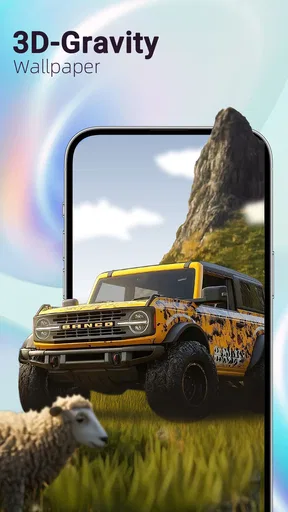
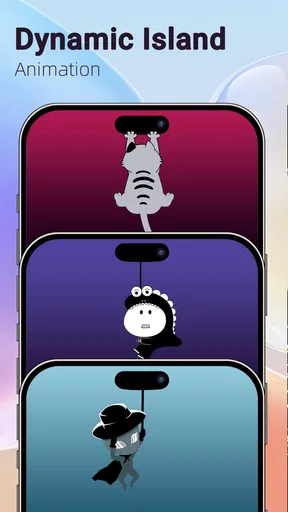
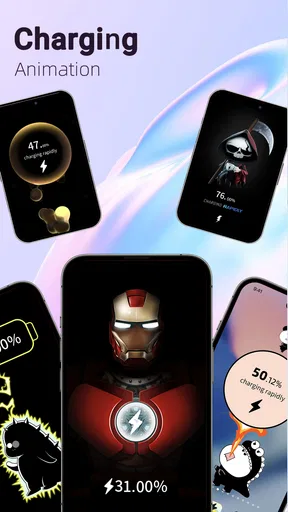
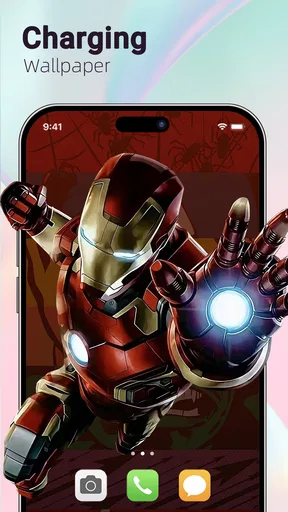
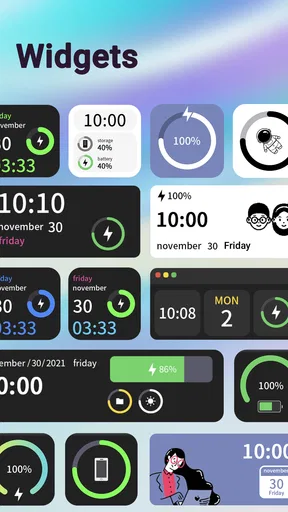
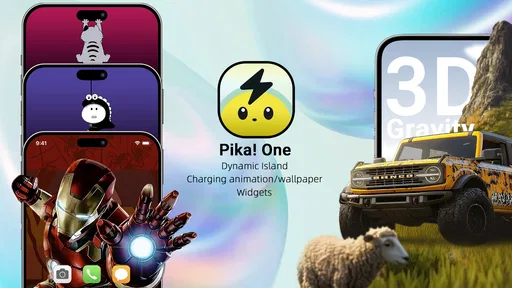
Our Review of Pika! One - Themes & Wallpaper
 Analysis by Appyee
Before changing any settings, I would first check what kind of app I’m opening. Pika! One is a personalization app from Pika! Studio, not a streaming service, so I wouldn’t expect a catalog of shows, episode downloads, or viewing recommendations. Its focus is visual customization: gravity-style 3D wallpapers, charging animations, and Dynamic Island animations. That distinction matters because a mismatch between expectations and what appears on screen can look like a setup problem when it is really a product-category mix-up.
Start with the right expectations
I’d think of the app as a set of ways to change the feel of a phone rather than as a replacement for a launcher or a full theme system. If you mainly want a new wallpaper, the 3D gravity effect is the part to explore first. If you enjoy small visual changes when connecting a charger or using a Dynamic Island-style display, the animation options are more relevant. These are separate reasons to try it, and you don’t need to use every part just because the app groups them together.
That all-in-one approach is handy if you like experimenting from one place, but it also means the app may feel less focused than a dedicated wallpaper library. I’d decide what I actually want to personalize before browsing. Otherwise, it is easy to spend time looking through effects that do not suit my phone or the way I use it.
Check compatibility before troubleshooting
One practical check is the phone’s operating system. The app requires Android 7.0 or later, so a device below that threshold is not a good candidate. The content rating is Everyone 10+, another detail worth keeping in mind when choosing apps for a younger family member. It is free to install, while in-app purchases range from $1.99 to $99.99 per item, so I would look carefully at any purchase screen and make sure I understand what an optional item costs before confirming it.
If an effect does not appear where I expect, I’d first return to the relevant part of the app and check that I selected or applied the option rather than only previewing it. Then I’d revisit the phone’s own wallpaper or display settings and see whether they still show the choice I intended. These are simple checks, but they help separate an unfinished setup from a feature that does not fit a particular device or screen.
Make one change at a time
For a calmer setup, I’d begin with a single wallpaper or animation, use the phone normally for a while, and only then add another visual effect. This makes it easier to identify which change I like and which one I would rather undo. It is also a useful way to avoid making several adjustments at once and then having to retrace every step if the result looks cluttered.
For example, someone who wants a lively lock screen but a quiet home screen can try the wallpaper effect first and judge whether icons and text remain easy to see. If the background competes with the information on screen, the better fix may be choosing a less busy visual rather than changing unrelated settings. I would treat readability as part of personalization, not as an afterthought.
When an animation seems unreliable
If a charging animation or Dynamic Island effect does not show up as expected, I would avoid assuming the app is broken straight away. I’d check whether the phone is actually using the relevant charging or display situation, confirm that the intended effect is selected, and then try a basic restart of the app or device if the screen remains unchanged. Keeping the test simple helps narrow down what is happening without making several system changes that are hard to reverse.
There is also a practical trade-off with animated decoration: a visual that feels fun during setup may become distracting when it appears during an ordinary routine. I’d test it during a normal day, not just while browsing previews. If it draws my attention every time I plug in the phone, a subtler effect—or no animation at all—may be the better personalization choice.
Know when the phone, not the app, is the issue
Personalization features depend on the phone’s own display behavior, so not every option will feel identical across devices. If the visual result differs from the preview, I’d compare the app’s selected choice with the system’s current wallpaper and display settings before reinstalling anything. A device restart can also help after a settings change has not appeared immediately. I would make one adjustment, check the result, and only then move on to another possible cause.
For someone who wants a complete icon redesign, a different home-screen layout, or a broad theme that changes many parts of the interface, a dedicated launcher or theme tool may be a better fit. Pika! One is more appealing when the goal is a distinctive wallpaper or a small animation accent without rebuilding the whole phone experience. Knowing that boundary can save time and make the app easier to judge fairly.
Who is likely to enjoy it
I can see this working well for people who like refreshing their phone’s appearance in small, reversible steps. A commuter might choose a new background before the workweek, then keep charging visuals understated so they do not become a nuisance at a desk. Someone who enjoys showing friends a playful screen effect may prefer a more noticeable option for occasional use. In both cases, the useful question is not how many effects are available, but whether the chosen one still feels good after the novelty wears off.
I’d be more cautious if I prefer a plain interface, want deep control over every icon and menu, or dislike visual elements that respond to charging and display states. The app’s combined focus can be convenient, but it does not make it the right tool for every kind of phone makeover. Before paying for any optional content, I’d also decide whether the free experience already covers the change I wanted; the wide range of in-app purchase prices makes checking the specific item more sensible than assuming every extra costs the same.
Released on May 29, 2025, and currently at version 1.6.1, Pika! One has a 4.6 average from around 2,000 ratings and over 100,000 installs. I’d read those figures as a sign that it has attracted a meaningful audience, not as proof that every animation will suit every phone. The number of ratings and installs can help set expectations for how established it is, while my own decision would still come down to compatibility, the look of the effects, and whether I want this kind of customization.
A Universe of Series at Your Fingertips
So, what’s the buzz all about? Simply put, Pika! One is a one-stop-shop for all your series cravings. It’s like Netflix, Hulu, and Amazon Prime all rolled into one neat package. Imagine the convenience of having everything you need in a single app without hopping from one platform to another. Sounds pretty sweet, right?
All About the Interface
The first thing that caught my eye was the app's sleek and intuitive design. Navigating through Pika! One is a breeze. The developers have done a stellar job ensuring that everything is just a tap away. The interface is user-friendly, with a clean layout that doesn’t overwhelm you with too many options. I especially love the search functionality – it’s quick, smart, and gets you exactly what you’re looking for with minimal fuss.
Content Galore
Now let’s talk about the real star of the show – content. I was genuinely impressed by the variety available on Pika! One. Whether you're into drama, comedy, thriller, or documentary, there’s something here for everyone. The app regularly updates its library, so there's always something new to discover. I found myself diving into series I’d never even heard of before, and trust me, that’s saying something!
Personalized Recommendations
One of the standout features of Pika! One is its personalized recommendation engine. It’s like having your own personal series guru, always ready with the best suggestions. Based on your viewing history, the app curates a list of shows you might enjoy. It’s incredibly accurate, and I found myself relying on it more often than not, which is a testament to its effectiveness.
Offline Viewing
For those times when you’re on the go, Pika! One has you covered with its offline viewing option. You can download episodes and watch them later without an internet connection. This feature is a lifesaver during long commutes or flights. I’ve used it several times, and the download quality is excellent, ensuring a smooth viewing experience.
Subscription and Pricing
Now, let’s get down to brass tacks – pricing. Pika! One offers various subscription tiers to fit different budgets. Whether you’re a casual viewer or a series junkie, there’s a plan for you. The value for money is undeniable, especially when you consider the range of content and features available. Plus, there’s a free trial period, so you can test the waters before committing.
A Few Quirks
Of course, no app is without its quirks. While using Pika! One, I encountered the occasional buffering issue, especially during peak hours. However, these instances were few and far between and didn’t significantly hamper my viewing experience. The developers seem proactive in addressing these issues, which is a reassuring sign.
Another minor gripe is the absence of a dedicated kids mode. While the app does have family-friendly content, a separate section with parental controls would be a welcome addition for those with little ones at home.
Final Thoughts
In the grand scheme of things, Pika! One is a fantastic app that delivers on its promise of providing a comprehensive series-watching experience. It’s perfect for anyone looking to consolidate their streaming needs into one convenient platform. With its vast content library, intuitive interface, and personalized recommendations, it’s a must-try for any series enthusiast.
So, if you’re tired of juggling multiple subscriptions and want an app that does it all, give Pika! One a shot. You might just find that it’s exactly what you’ve been searching for. Happy watching!
Verdict
Strengths of Pika! One - Themes & Wallpaper
- Comprehensive library of popular series.
- User-friendly interface and navigation.
- High-quality streaming with minimal buffering.
- Offline viewing available for downloads.
- Regular updates with new content.
Limitations of Pika! One - Themes & Wallpaper
- Limited availability in certain regions.
- Requires stable internet for streaming.
- Ads can interrupt viewing experience.
- Subscription needed for premium features.
- Some series may have incomplete seasons.
Similar Picks in This Category
View All
Microsoft SwiftKey AI Keyboard
SwiftKey4.3

Wallpapers
Google LLC4.1

Zedge™ Wallpapers & Ringtones
Zedge4.7

Yandex Browser with Alice AI
Direct Cursus Computer Systems Trading LLC4.3

Ringtone Maker:create ringtone
Big Bang Inc.4.7

Fonts Keyboard
Fonts Keyboard3.9
Frequently Asked Questions
What is Pika! One - Series App, and what does it offer?
Pika! One - Series App is a comprehensive platform for streaming your favorite TV series and discovering new ones. It offers a vast library of popular shows across various genres, allowing users to watch episodes on demand. The app also provides personalized recommendations based on viewing history, making it easier to find content you'll love.
Is Pika! One - Series App available on both Android and iOS devices?
Yes, Pika! One - Series App is available for download on both Android and iOS platforms. You can find it on the Google Play Store for Android devices and the Apple App Store for iOS devices. The app is optimized for a seamless viewing experience on both smartphones and tablets.
Does Pika! One - Series App require a subscription, and are there any free features?
Pika! One - Series App offers both free and premium subscription options. While you can access a limited selection of content for free, subscribing unlocks the full library, including exclusive series and ad-free streaming. The app provides flexible subscription plans to suit different viewing preferences and budgets.
Can I download episodes for offline viewing on Pika! One - Series App?
Yes, Pika! One - Series App allows premium users to download episodes for offline viewing. This feature is perfect for users who want to watch their favorite shows on the go without relying on an internet connection. It's a convenient option for traveling or areas with limited connectivity.
How does Pika! One - Series App ensure content variety and updates?
Pika! One - Series App regularly updates its library to include new releases and trending series. The app collaborates with major networks and studios to provide a diverse range of content, ensuring users have access to the latest episodes and series. Regular updates keep the content fresh and engaging.
